Connect the legal database — Zañ men tärtıp
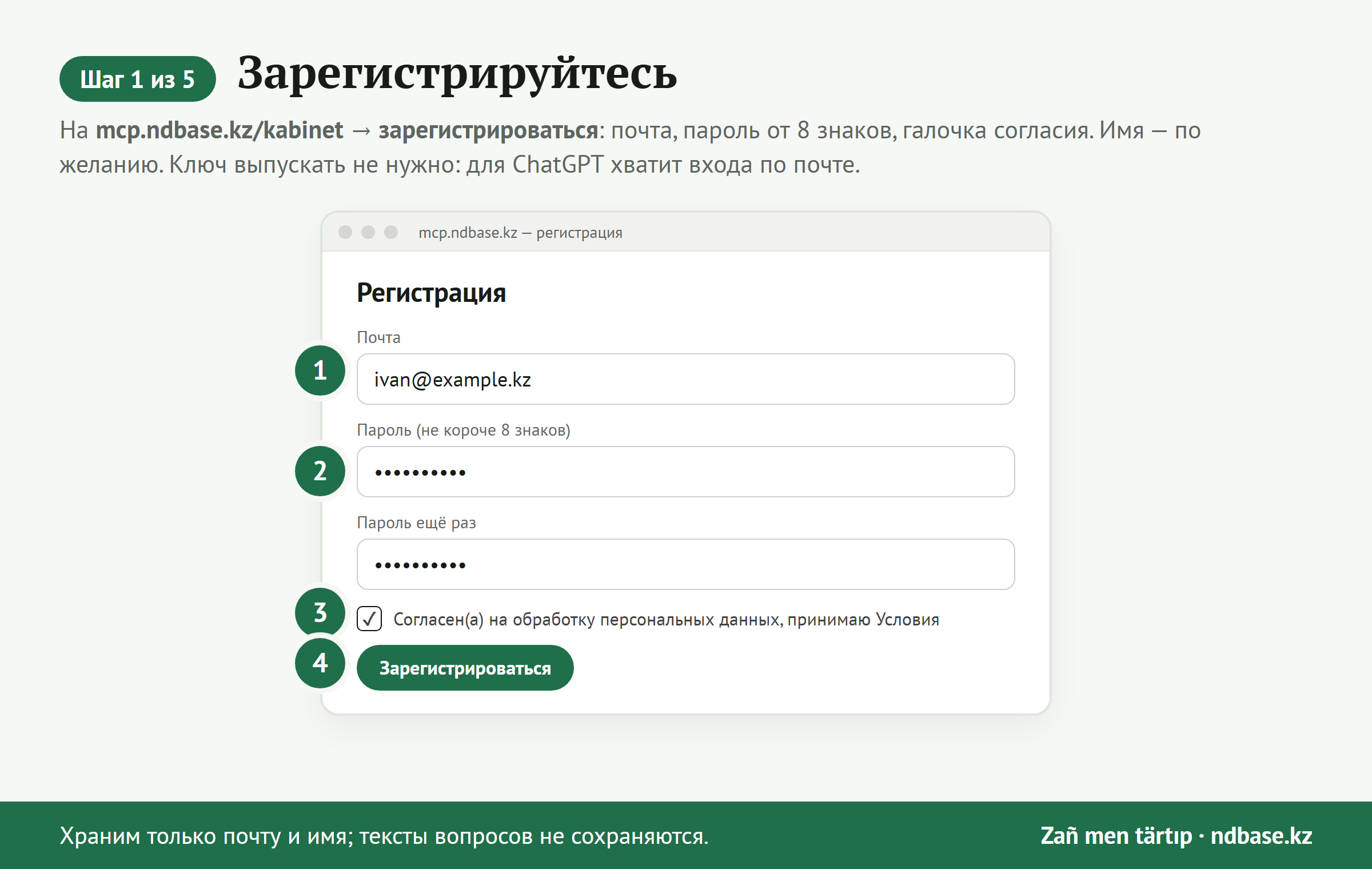
Three ways. The first is the simplest: no key needed, you sign in with your email and password, as in the account.
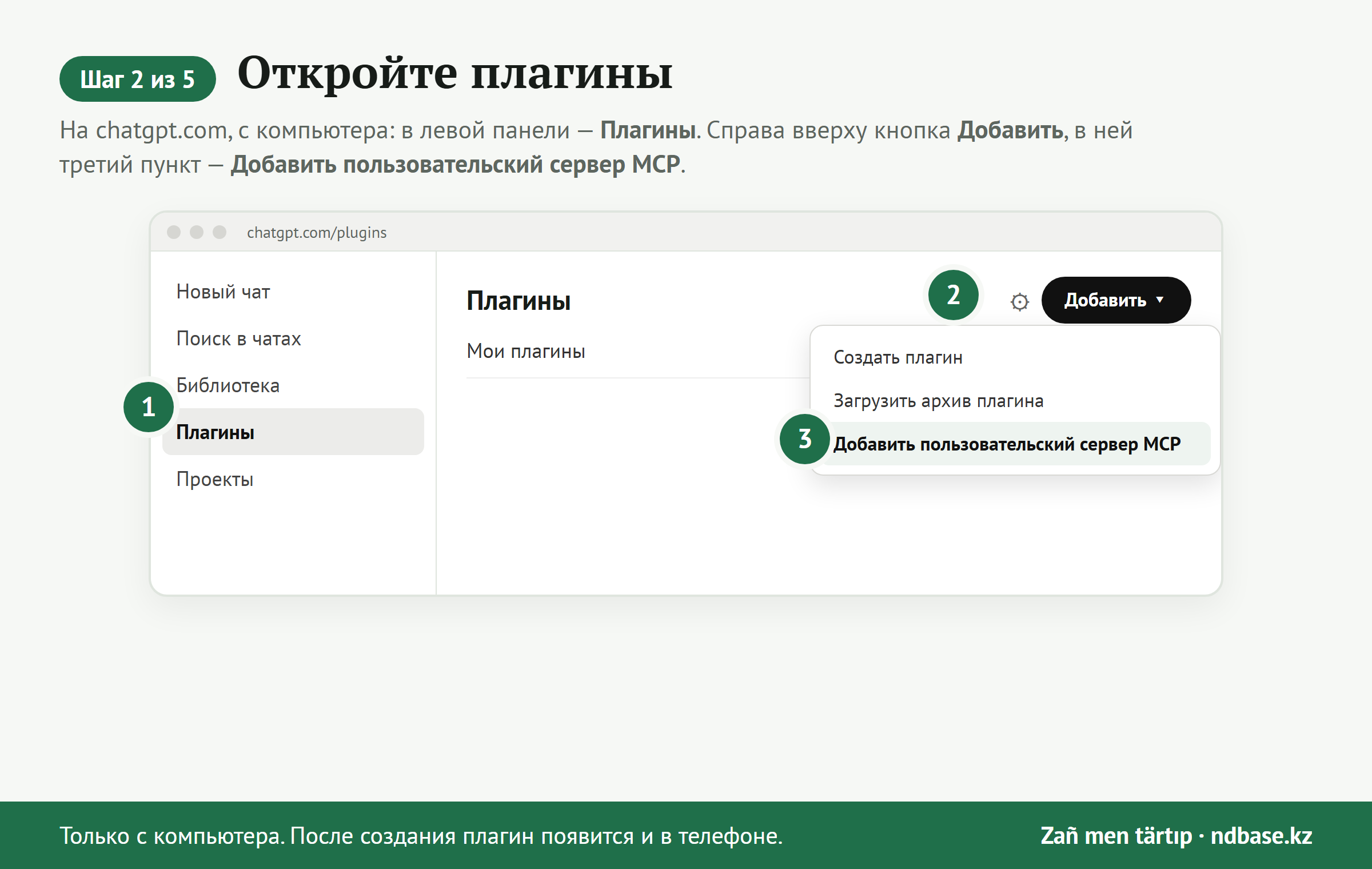
A plugin can be created in ChatGPT only on chatgpt.com from a computer — the phone app has no such button. Once created, it appears on the phone too.
1. ChatGPT with sign-in
- In ChatGPT open Plugins in the left panel (chatgpt.com/plugins), click Add at the top right and choose Add custom MCP server.
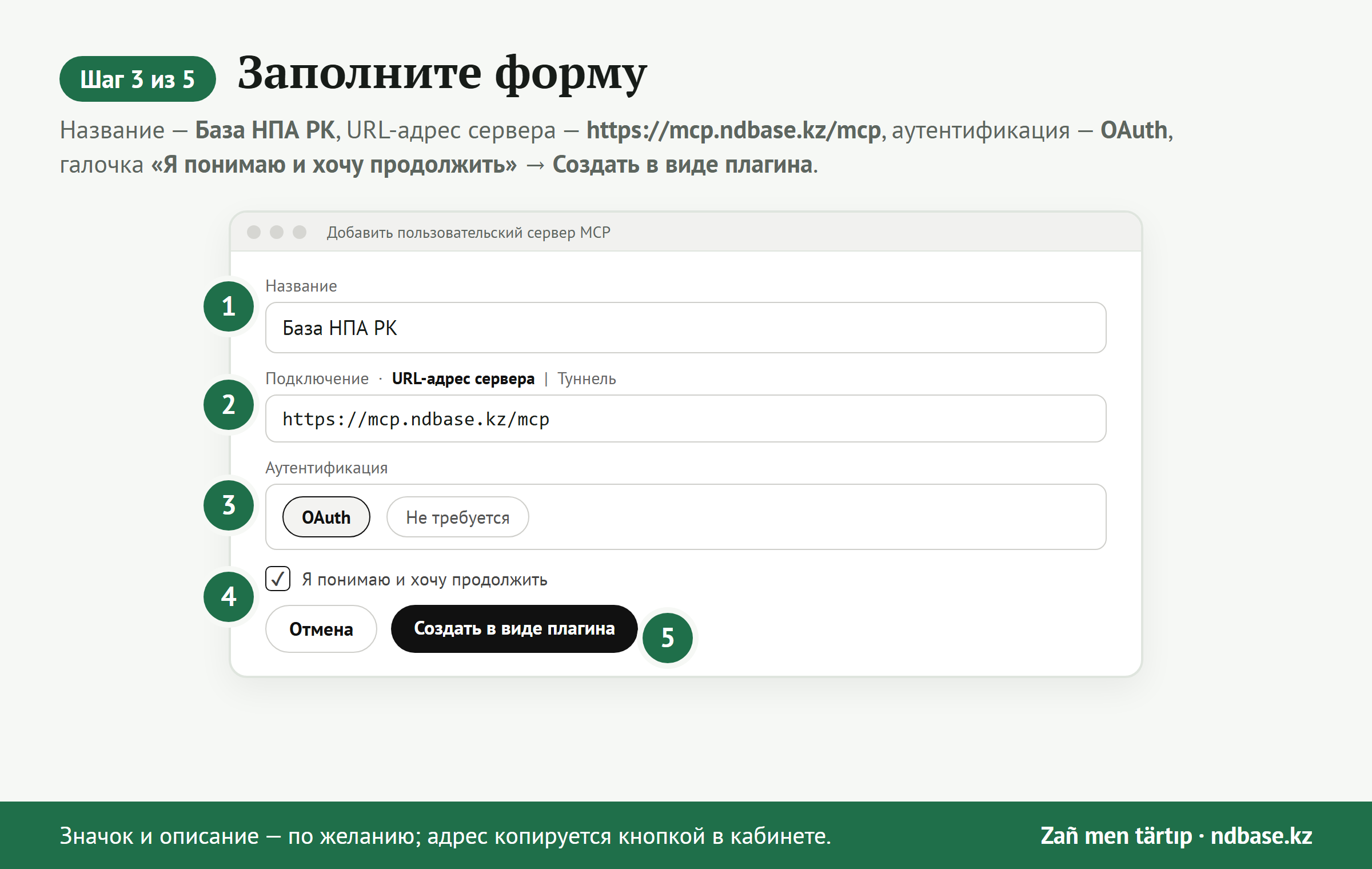
- Name: Kazakhstan Law. In “Connection” keep Server URL and paste the address:
https://mcp.ndbase.kz/mcp
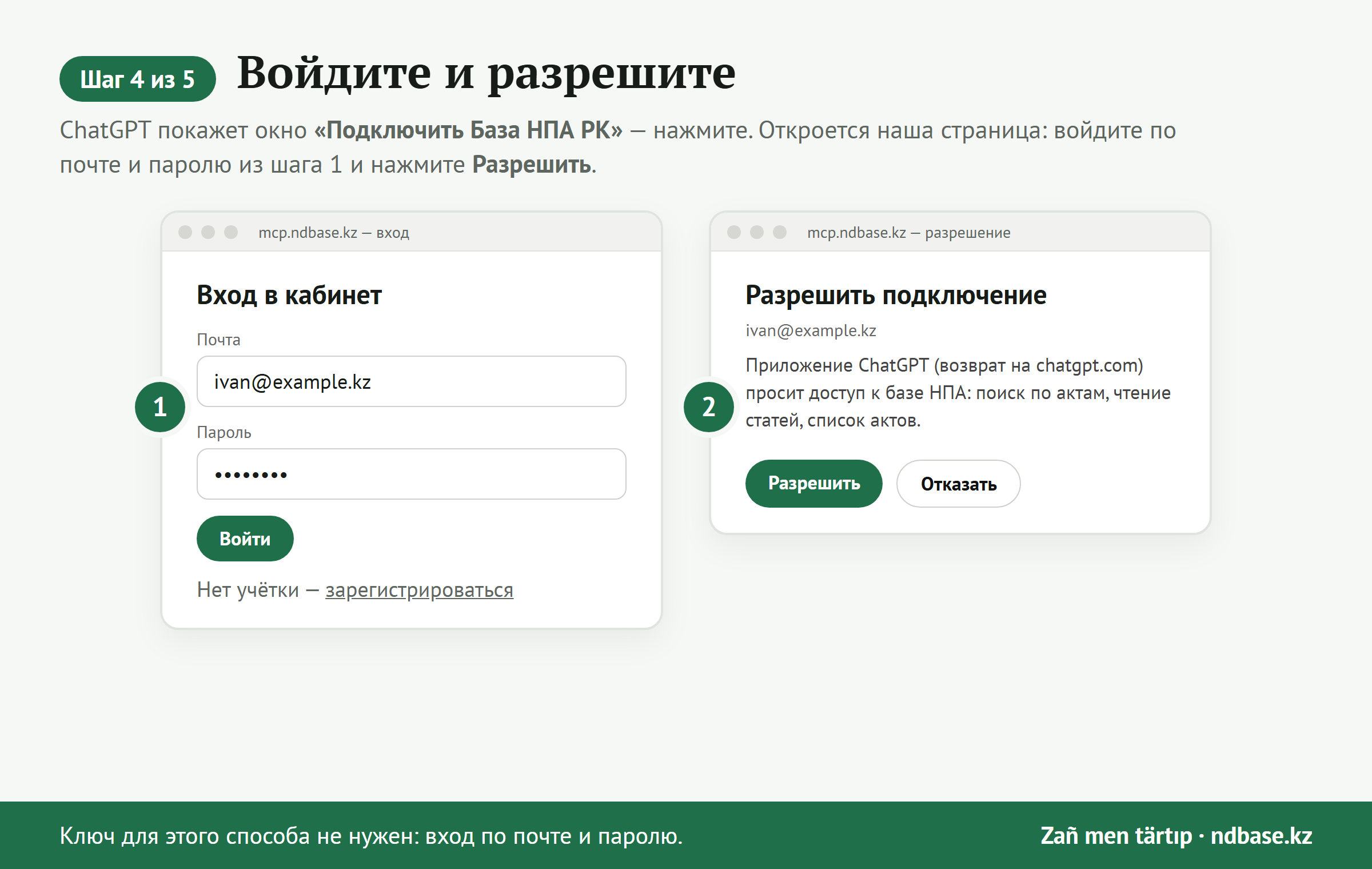
- Authentication — OAuth. Tick “I understand and want to continue” and click Create as plugin. ChatGPT shows a “Connect …” window — click Connect in it: our “Authorize connection” page opens (sign in with email and password first if you have not), click Allow. The plugin appears in the “Plugins” list.
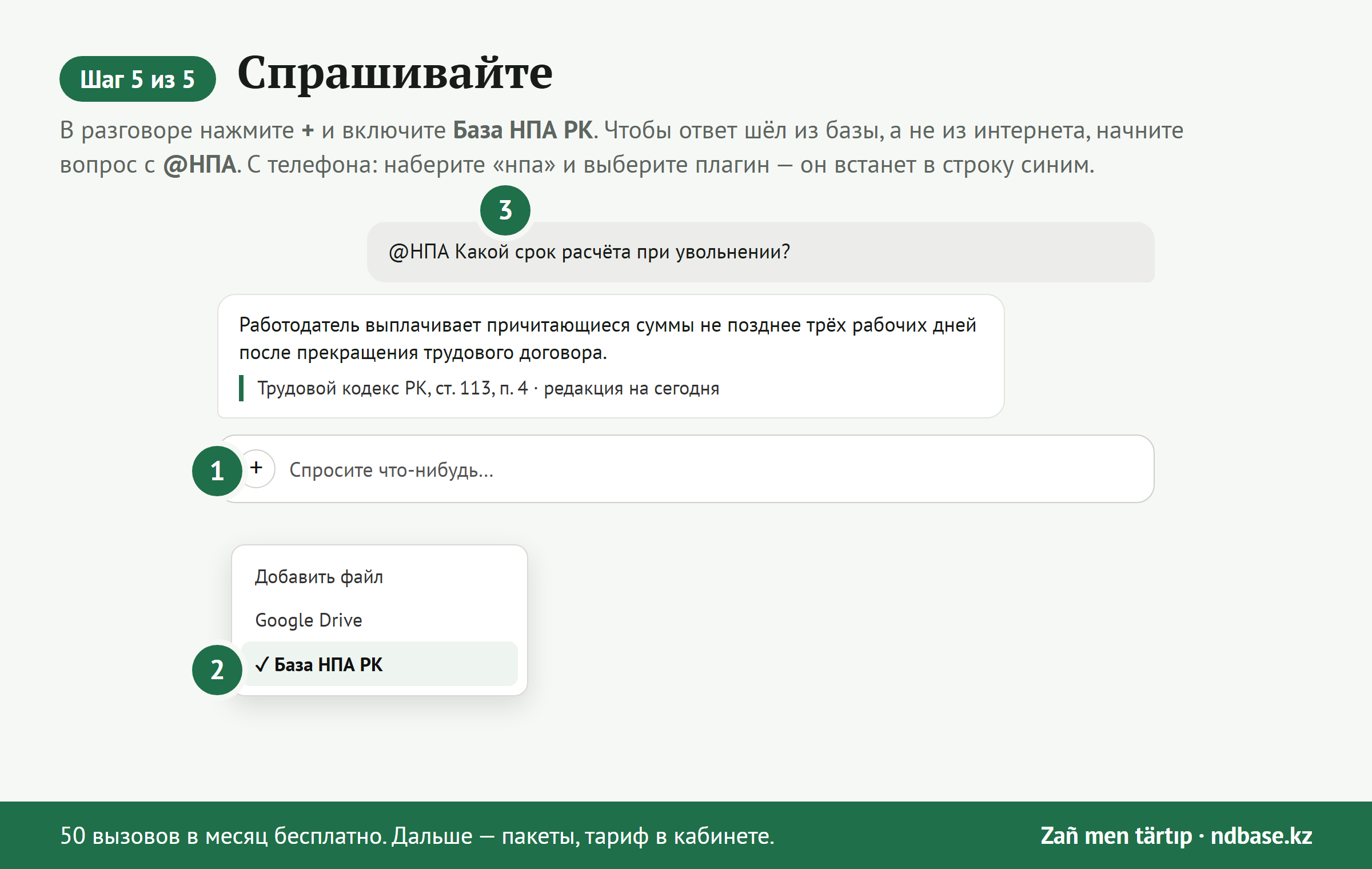
- In a chat enable the plugin (the “+” icon → Kazakhstan Law; on the phone type its name and pick it — it appears in the line as @…) and ask. To get answers from the database rather than the web, start the question with @ and the plugin name.
The pictures below show the Russian interface of ChatGPT; the menu names in your language are in the steps above.
2. ChatGPT without sign-in, Claude and other programs — address with a key
- Issue a key in your account: it comes with an address like
https://mcp.ndbase.kz/k/<key>/mcp. - ChatGPT: Plugins → Add → Add custom MCP server → paste this address, authentication “None”.
- Claude (claude.ai): Settings → Connectors → Add custom connector → paste the address.
- The key is like a password: do not share the address containing it. If it leaks, reissue it in your account.
3. Your own agent or program
MCP protocol (Streamable HTTP). Address
https://mcp.ndbase.kz/mcp
with the header Authorization: Bearer <key>, or OAuth 2.1 sign-in: metadata https://mcp.ndbase.kz/.well-known/oauth-authorization-server, dynamic client registration, PKCE S256. Tools: search_law, get_article, list_acts.
Not working — write to us: contact us.